Find the gigabytes your dev tools hide.
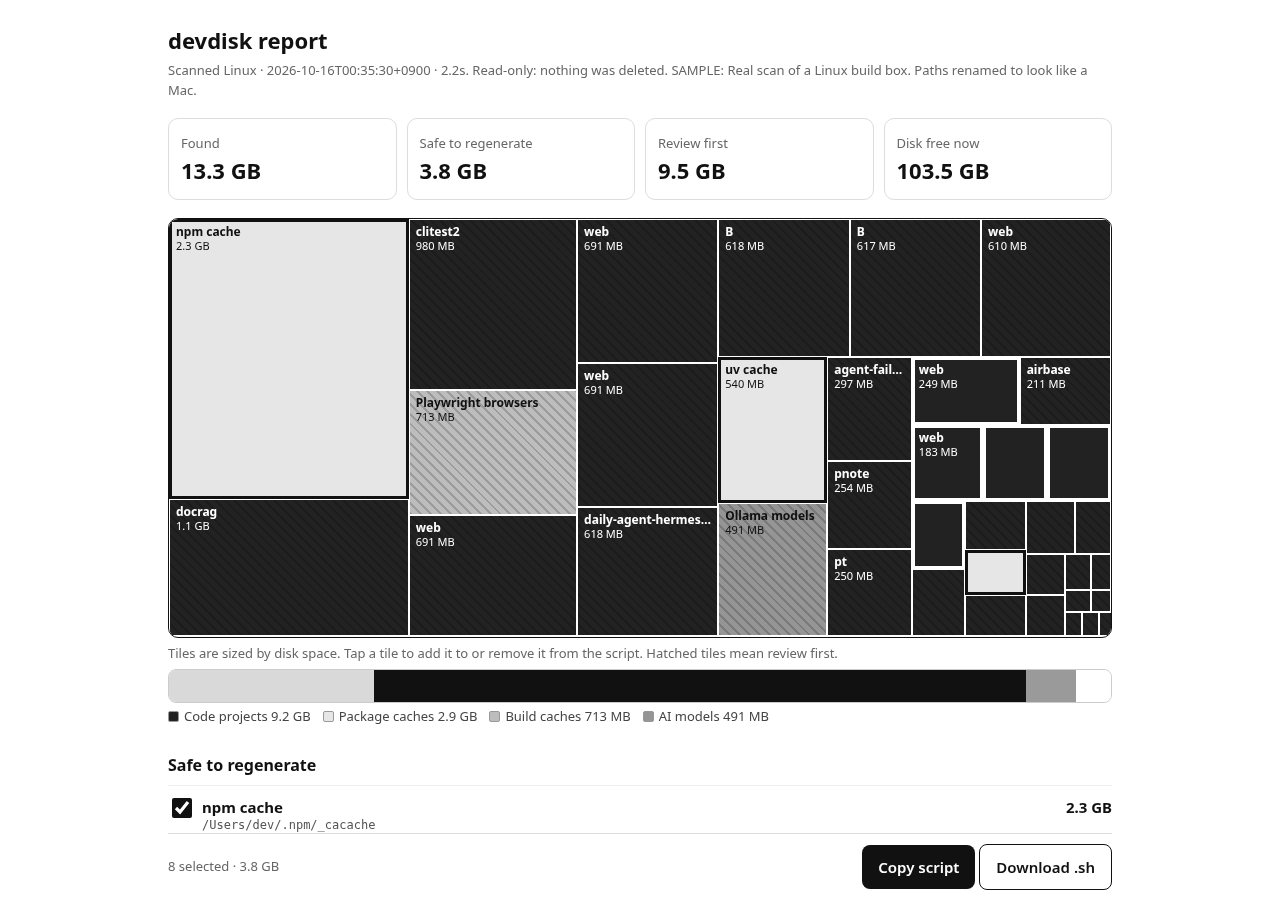
A free, read-only scanner for npm caches, node_modules, Xcode DerivedData, Gradle, .next/.turbo, Ollama models and more. It shows what's big and what's safe to regenerate. It never deletes anything.
curl -fsSLO https://disk.sadana.app/devdisk.py && python3 devdisk.py
iwr https://disk.sadana.app/devdisk.py -OutFile devdisk.py; py devdisk.py
Prefer to read it first? It's one Python file with no dependencies:
SHA-256 of devdisk.py: 457c42e4e5be94082535ac5264cf2ff4e5d82aff0e81a72f77db50d2b84e7521
Why it's safe
- Only reads file sizes. Symlinks are not followed and nothing is written outside the two report files.
- No network calls, no upload, no account. The report is a local HTML file.
- Items are split into Safe to regenerate (caches the tool rebuilds) and Review first (SDKs, models, archives).
- If you want, the report builds a cleanup script from your selection. You read it and you run it. Review items stay commented out.
What it checks
- npm, pnpm, Yarn, Bun caches
- pip and uv caches, Homebrew downloads
- node_modules in every project (with package.json)
- .next, .turbo, .parcel-cache, .svelte-kit, Rust target/
- Xcode DerivedData, Archives, iOS DeviceSupport, Simulators
- Gradle caches, Android emulators and SDK
- Ollama models, Hugging Face cache, Playwright/Puppeteer browsers
- Docker images and volumes (optional,
--docker, read-only)
How-to guides: Clear Xcode DerivedData · Delete node_modules · Clear Gradle cache
Waitlist: devdisk desktop app
A planned Mac and Windows app with a live treemap, one-click cleanup that moves files to the Trash, and scheduled scans. One email when it launches, with an early-supporter price. Your address is used only for that, and every email has an unsubscribe link.
FAQ
Does it delete files?
No. The script contains no delete calls. You can check the source; it is about 200 lines. Cleanup is a text script you choose to run yourself.
Is it really free?
Yes, the scanner is free. A desktop app with one-click cleanup is planned, and you'll hear about it only if you join the waitlist.
What does it need?
Python 3 (preinstalled on most Macs with Xcode Command Line Tools, and on Linux). Windows: install Python from python.org.
How long does a scan take?
Usually seconds to a few minutes. It stops at 180s by default (--time), and the report marks anything partial.